25 February 2026
Data Structures That Behave Like Programs in React
Imagine building a React library whose purpose is to showcase how applications work by automatically interacting with them — clicking elements, filling inputs, and responding to whatever happens on screen. Below is how that could look for a number guessing game.
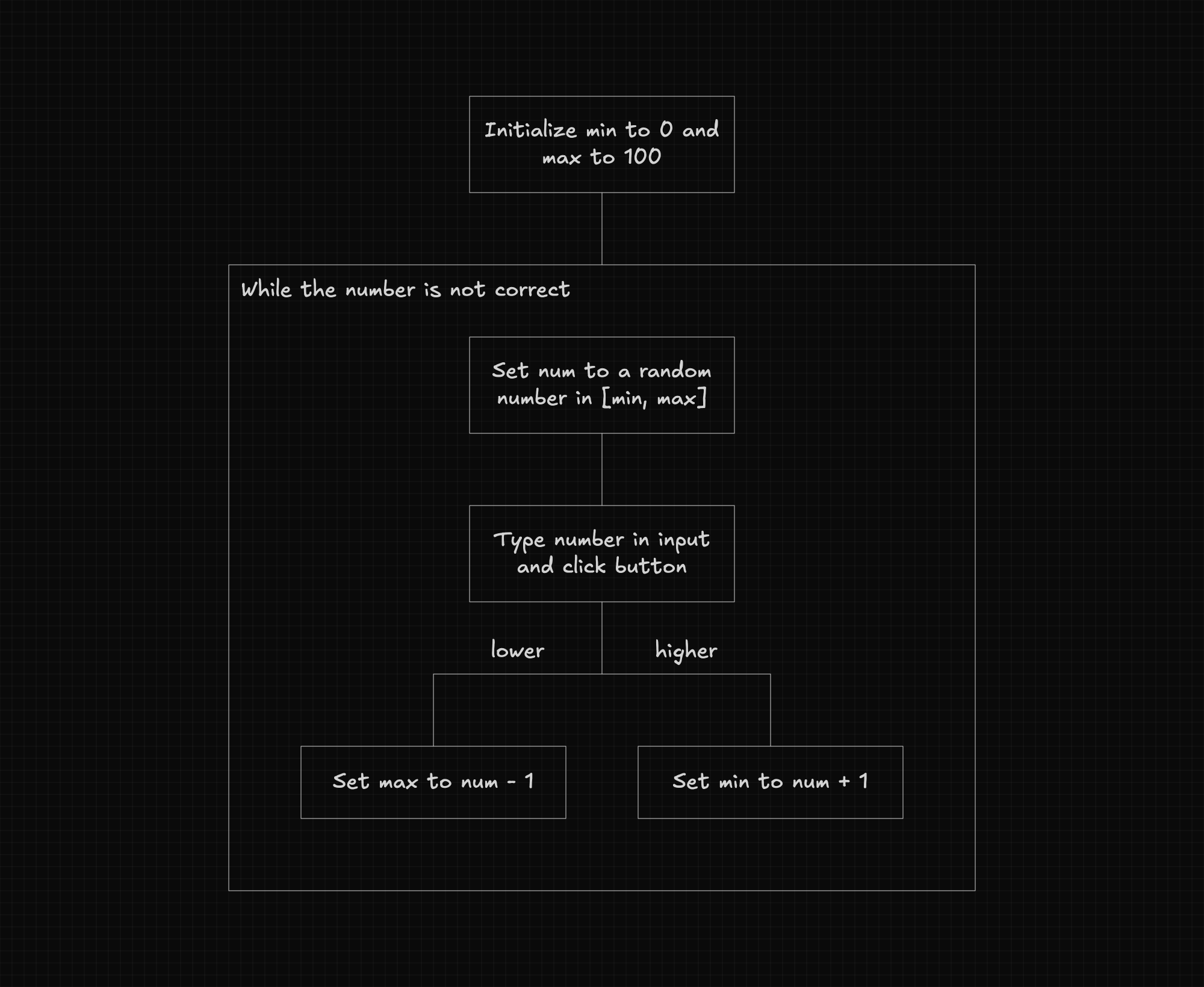
Data Structures That Behave Like Programs
A basic configuration object would not be enough to define this behavior. What we need is a data structure that works like a program — one that can hold variables, evaluate conditions, and iterate through loops. The library would then use an interpreter to walk through each instruction and execute it.
Here is an example of how this could look for the number guessing game mentioned above.
function App() {
  const { start } = useAutopilot([
    {
      variables: {
        min: 0,
        max: 100,
      },
    },
    {
      loop: {
        while: { $neq: ["#message", "The number is correct"] },
        do: [
          {
            variables: {
              num: { $random: ["$min", "$max"] },
            },
          },
          {
            interactions: [
              {
                target: "#number",
                action: { type: "input", input: "$num" },
              },
              {
                target: "#button",
                action: { type: "click" },
              },
            ],
          },
          {
            condition: {
              if: { $eq: ["#message", "The number is higher"] },
              then: [
                {
                  variables: {
                    min: { $add: ["$num", 1] },
                  },
                },
              ],
              else: [],
            },
          },
          {
            condition: {
              if: { $eq: ["#message", "The number is lower"] },
              then: [
                {
                  variables: {
                    max: { $subtract: ["$num", 1] },
                  },
                },
              ],
              else: [],
            },
          },
        ],
      },
    },
  ]);

  return <Game onAutopilotStart={() => start()} />;
}
Using this approach, we get a language built specifically for this problem — one that only exposes what we actually need, with no room for complexity beyond what the task requires.
Additionally, defining the data structure using JSON-compatible syntax, as shown above, makes it possible to store it in a database and fetch it from the backend without ever touching the code.
Example Use Cases
This pattern extends well beyond the autopilot library mentioned above. Any library that needs to define complex behavior as data could benefit from it. Here are two more examples.
Example #1: Guided Tour Library
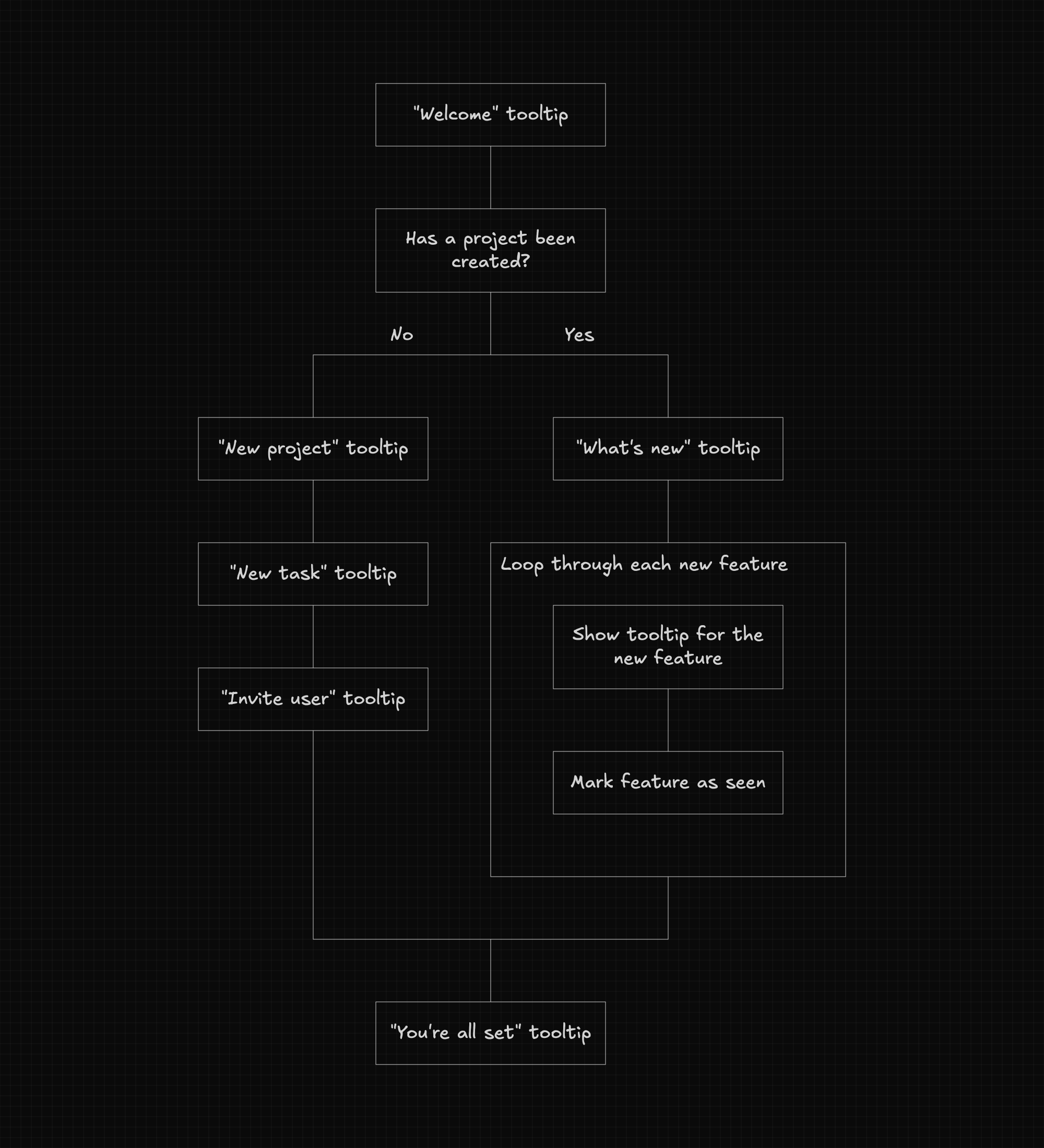
A guided tour library could use this pattern to go beyond a static list of steps — skipping steps already completed, repeating steps the user struggled with, or branching based on their behavior.
Below is an example of a guided tour for a project management app.
Example #2: Multi-Step Form Library
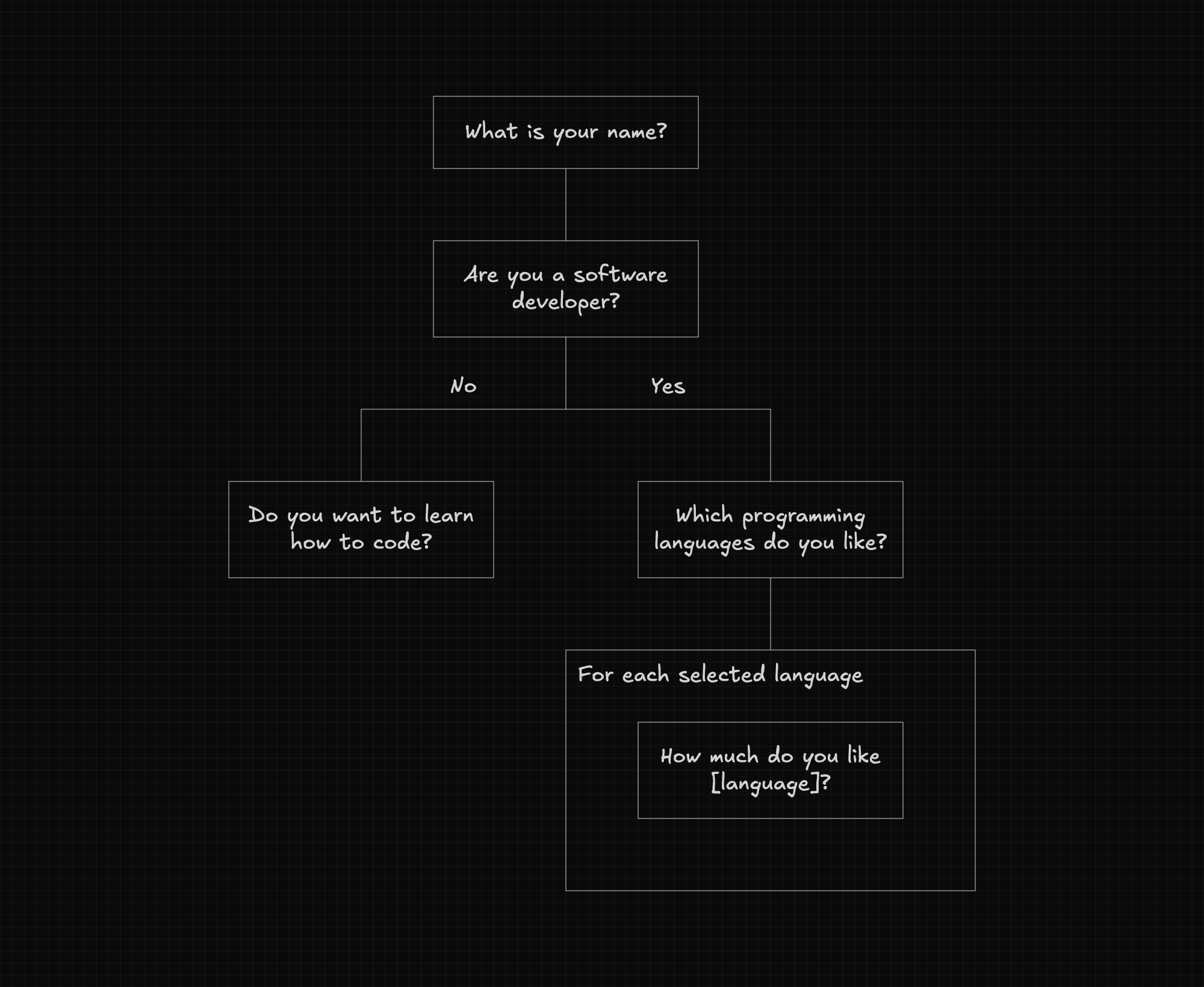
A multi-step form library could use this pattern to define complex flows declaratively — iterating through a list of questions, branching based on user input, and tracking variables across steps.
Below is an example of a multi-step form that collects information about the user.
One example of this pattern applied to multi-step forms is Formity, a React library that represents form flows as data structures interpreted at runtime. It can also work with Expry to describe the behavior using pure JSON, making it possible to store it in a database and fetch it dynamically from a backend.